
Features
Everything working together. For a simpler day, every day.
All the tools you need to run, grow and manage your business in one simple place.
- Everything in one place
- Simple to use
- Built for real businesses

01 Timetable & classes
Flexible scheduling for real life.
Create and manage your class timetable. Keep bookings, attendance and your team in the same place when plans change.
- Classes and timetables
- Bookings and waitlists
- Attendance tracking
- Instructor availability

02 Customers & CRM
One client. One complete picture.
Keep the details together — from memberships and payments to class history and notes.
- Customer profiles
- Memberships and credits
- Class and payment history
- Internal notes
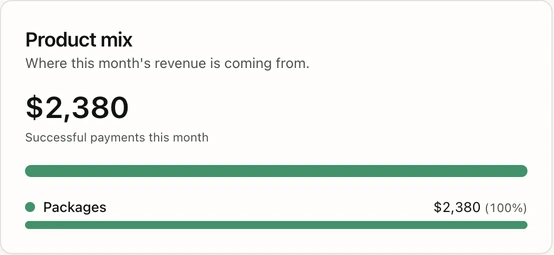
03 Sales & payments
Get paid. Stay organised.
Manage memberships, class packs and product sales, with a clear view of your payment records.
- Memberships and class packs
- Product sales
- Payment records
04 Communications
Stay in touch.
Keep customer conversations and team updates close to the work they’re about.
- In-app customer conversations
- Team updates and discussions
05 People & roles
The right people. In the right place.
Bring staff and instructors together with the access and scheduling tools they need.
- Staff and instructor profiles
- Roles and permissions
- Availability and class cover
06 Reports & insights
See what’s working. Plan what’s next.
Understand your studio with reports that put the numbers in context.
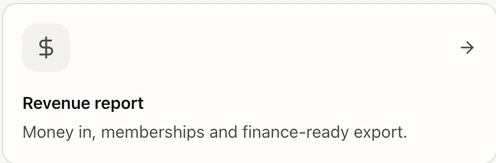
- Revenue reports
- Class performance
- Attendance trends
07 Command centre
Your business at a glance.
Start with a view of today’s studio activity and the classes ahead.

- Today’s classes
- Booking health
- Studio overview
08 Website creation
A beautiful website. Built in.
Shape your studio’s online presence from your springfit website workspace.
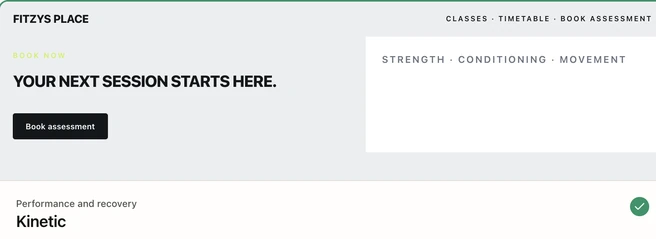
- Custom branding
- Website pages
- Preview changes
09 Ask Daisy
Need something? Ask Daisy.
Find help with using springfit, right inside your account.
- Help articles and guides
- Questions about using springfit
- In-app guidance
10 Marketing & growth
Bring people in. Keep them coming back.
Keep leads and follow-up organised, and prepare campaigns with your customers in mind.
- Leads and customer follow-up
- Campaign preparation and review
11 Team training
Get your team ready. Keep them ready.
Keep onboarding and learning connected to your team’s day-to-day work.
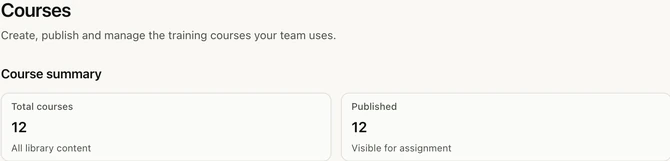
- Course library
- Onboarding assignments
- Training readiness
Availability depends on your studio setup. See it in a demo.
See it in a demoA closer look
Explore all capabilities.
Pick an area to see more of what springfit brings together. Availability can vary by studio setup.
01Bookings & timetables
Keep the day moving as classes, bookings and availability change.
Plan the schedule
- Class timetables
- Instructor availability
- Studio locations
Manage each class
- Customer bookings
- Waitlists and capacity
- Attendance
Connect the details
- Memberships and credits
- Upcoming classes
02Members & experience
See the relationship behind each booking and give customers a simple way to take part.
Know your customers
- Customer profiles
- Memberships and credits
- Class and payment history
- Internal notes
Let them book
- Browse the timetable
- Book eligible classes
- View upcoming bookings
Stay connected
- In-app conversations
- Booking and account information
03Team, training & roles
Bring the people running the business into the same picture.
People and access
- Staff and instructor profiles
- Roles and permissions
- Instructor availability
Work together
- Class cover
- Team updates
- Teaching schedules
Keep learning
- Course library
- Onboarding assignments
- Training readiness where enabled
04Payments & shop
Keep plans, sales and payment records close to the customers they belong to.
Sell and manage
- Memberships and class packs
- Product catalogue
- Product sales
See the record
- Customer payment history
- Sales and product-mix reporting
05Communications & marketing
Keep conversations and follow-up connected to your customer work.
Talk to people
- In-app customer conversations
- Team updates
Follow up
- Leads and customer follow-up
- Campaign preparation and review
06Website & brand
Shape your studio's online presence from the springfit website workspace.
Make it yours
- Brand and style selection
- Website pages and content
- Media and imagery
Review it
- Website preview
- Connected studio information where configured
07Reporting & operations
See today's work and look back at how the business is performing.
Right now
- Today's classes
- Booking health
- Studio dashboard
Over time
- Revenue reports
- Class performance
- Attendance trends
08AI & help
Find guidance about using springfit without leaving your account.
Ask Daisy
- In-app help
- Questions about using springfit
- Help articles and guides

Ready to see what springfit can do?
Let’s make it happen.
All the tools. One simple place.
Built for real businesses.